Top 5 Best Free Password Managers for Windows

Password Manager
Password Manager is a software tool that will help user to remember all his passwords. As we all know that today�s life is so full of technology that from banking to shopping we have numerous passwords or PIN or pass codes. It is actually very difficult to remember all these passwords and names, especially if you are an internet user too. One solution to this problem is that, you may write them down and store it in your PC but that�s risky as anyone can read that and gain access to your valuable data, it gets worse if someone reads your banking details and may take undue advantage. Here comes the need of password manager which will store your valuable

data in encrypted form and only you can access that, hence its completely secure. Password manager can protect your logins and passwords, PIN codes, credit card numbers and much more. Here is the list of top five free password management programs.

Read Also :  How to Make Strong Password

Top Pick: Password Dragon

Before we go further into the top 5 list, we would like you to explore our own Password Dragon software. We didn�t purposefully add this in our top 5, as we don�t want to rate our own software. We�ll let you be the judge.
The great advantage of password dragon is that it works on Windows, Mac and Unix as this is written in Java. This can also be launched directly from USB thumb drive. This has lot more to offer, check-out the full list of features of password dragon.

1. LastPass

LastPass is a freeware password manager which makes your browsing secure and easier. It is integrated with high class and very fine encryption algorithms to keep your data protected and secure. Except the user, no one else could decrypt the information. Not only can it create strong passwords, it can also store unlimited passwords. It can import passwords from other password managers and has ability to manage data from multiple computers. It is a very effective software program.
  • Our Rating: 5 Stars
  • Download LastPass
  • Home Page
  • Pros: It is almost the best freeware available which works with almost all browsers. It generates secure password and great online support is available by LastPass team. It has seamless integration with firefox.
  • Cons: It is not very easy to use
  • OS: Wndows XP, Windows Vista and iphone.

2. KeePass

KeePass Password manager is a free open source software which helps you to store your valuable passwords in a highly secure encrypted database whose key to decryption is only with you. You can lock all your passwords in one master key, so that you can unlock all the information with one single master password. It has strong password generator and requires no installation. It is a very handy tool that makes your password management very easy.

3. LockCrypt

LockCrypt is also a freeware password manager for Windows OS. To store passwords,phone numbers, PINs and other private and personal information, this account management program provides a secure, central database. It uses Cipher Block Chaining and AES encryption which makes it very secure and reliable. It has strong password generator and native translations into Spanish, German etc. with a secure clipboard to protect passwords.
  • Our Rating: 4.5 Stars
  • Download LockCrypt
  • Home Page
  • Pros: The best part about this software is that it can be fully customizable.
  • Cons: This software is resource expensive as it is written in Java. Moreover, it doesn�t have very well furnished user interface.
  • OS: Windows 7, Windows XP, Windows Vista

4. Password Safe

Password Safe is another freeware password management tool which can manage your old passwords, quickly generate new passwords, organize them, retrieve and store them in one single master combination. Through this software the users can keep their passwords encrypted on their computers.
  • Our Rating: 4 Stars
  • Download Password Safe
  • Home Page
  • Pros: Easy to use, convenient and has the ability to go directly to a URL
  • Cons: Unable to recover the data, if user forgets the master keyword.
  • OS: Windows7 32-bit and 64-bit, Windows XP, Windows Vista

5. RoboForm

RoboForm password manager is a freeware which reliably and safely stores passwords on your PC or laptop. The passwords can be both online and offline. It has fine features and a very fine user interface. It not only auto-logs the user into online accounts but also completes online registration and checks out forms with a single click. It is probably one of the oldest and uses strong Encryption algorithms like BlowFish and AES for complete security and protection.

Enjoy Guys! and don’t forget to post your comments. � MyTricksTime.com
Get Windows 8 Metro Start Menu On Windows 7 Using Newgen

Windows 8 logo for website
Windows 8 Logo

As our readers will know, Windows 8 Developer Preview was released yesterday. This version of Windows 8, as suggested by the name, is meant for developers who wish to develop Windows 8 apps in the future. It is not the complete version of the OS that will be released sometime in 2012.

While we�ve already written an easy to follow guide on how to install Windows 8 in VirtualBox, but there are plenty of people who want to, but would rather not try out an incomplete OS. Such people can get a slice of the Windows 8 action with Newgen: a Metro style launcher for
Windows Vista and Windows 7. Previously however, you could simply use Mosaic or Eight, which were great alternative for Newgen but they weren�t that good in terms of looks back then.
Developed by speaker60 and 1000MrCasper and released on the open source project community CodePlex, Newgen aims to bring the ultra-Metrofied Start menu to current desktop PCs running Windows Vista or 7.
From CodePlex:

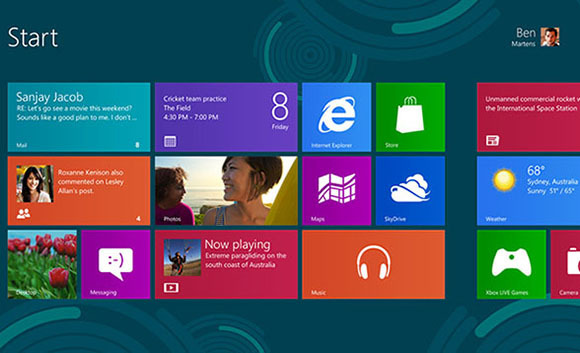
Newgen is an application that brings the new Metro UI to your desktop. It is a set of live widgets that shows some content from the web and some from your PC.
Newgen supports WPF, HTML5, and HTML widgets. 

Read Also : Easy step by step How to use pen drive as RAM in windows 8

Features :

  • Support for HTML widgets
  • Launch your favourite apps and webs in one click
  • Customize as you want
  • Switch to your opened apps, in just few clicks
  • Get Windows 8 Metro UI to your desk
  • Play your videos and music, view your pictures without opening them
  • Get your tweets, mails and weather reports in front of your eye, just sitting
  • Provides easy-to-use API for Widget developers
  • Get updates from us without navigating our site


We�ve personally tested the application and can confirm that it mostly works as claimed. It takes some tedious work setting up exactly as you want, but since it is a new app, it is to be expected.
After you�ve got the app installed, you launch it from the Start menu on your PC. On launching, you are treated to a very good-looking Metro style Start menu where you can add tiles, widgets and direct links to websites of your choice. They can be added by calling up the Start Menu (left-click on the right edge of the screen) and then right-clicking, which will show up options for you to add said items.
The transitions and overall UX is similar to what Microsoft offers with Windows 8�s launcher though, obviously, Newgen isn�t as full-featured as the real thing. However, there are plenty of settings you can tinker around with in order to customize your experience.

If you�re interested, you can give Newgen a try by downloading it from the link embedded below.
Download Newgen for Windows Vista, 7 [CodePlex Link]
You can follow us on Twitter or join our Facebook Funpage to keep yourself updated on all the latest from Microsoft, Google, Apple and the web.

Enjoy Guys! and don’t forget to post your comments. � MyTricksTime.com
HAPPY NEW YEAR FACEBOOK SMILEY 2013


Cheers to a new year and another chance for us to get it right.In my previous post I gave my reader merry Christmas Facebook smile,

which become quite popular on Facebook so I decided to create New year smile for Facebook.
This smile work same as previous smiles you just need to copy and paste one of the below code in Facebook chat windows and then you will see magic.

Dj Moo Style


Code

[[465244600182120]] [[465244573515456]] [[465244640182116]] [[465244640182116]] [[465244683515445]] [[458590980847482]] [[465244630182117]] [[465244586848788]] [[465244673515446]]
[[465244683515445]] [[465244586848788]] [[465244573515456]] [[465244653515448]] [[458590980847482]] [[465244466848800]] [[465244690182111]] [[465244456848801]] [[465244490182131]]


Fanboy style


Code

[[458280124211901]] [[458279917545255]] [[458280257545221]] [[458280257545221]] [[458280314211882]] [[458590980847482]] [[458280177545229]] [[458280094211904]] [[458280307545216]]
[[458280314211882]] [[458280094211904]] [[458279917545255]] [[458280274211886]] [[458590980847482]] [[458280194211894]] [[458280330878547]] [[458280187545228]] [[458280200878560]]


Tacobox Style


Code


[[460024674037446]] [[459914144048499]] [[460024734037440]] [[460024734037440]] [[460024814037432]] [[458590980847482]] [[460024720704108]] [[460024637370783]] [[460024797370767]]
[[460024814037432]] [[460024637370783]] [[459914144048499]] [[460024754037438]] [[458590980847482]] [[460024524037461]] [[460024490704131]] [[460024514037462]] [[460024527370794]]


Yahoo Style


Code

[[463422500364330]] [[463422450364335]] [[463422573697656]] [[463422573697656]] [[463422667030980]] [[458590980847482]] [[463422543697659]] [[463422477030999]] [[463422657030981]]
[[463422667030980]] [[463422477030999]] [[463422450364335]] [[463422600364320]] [[458590980847482]] [[463422407031006]] [[463422367031010]] [[463422383697675]] [[463422410364339]]


� Another fresh new year is here …

Another year to live! To banish worry, doubt, and fear, To love and laugh and give!
This bright new year is given me To live each day with zest …
To daily grow and try to be My highest and my best! I have the opportunity Once more to right some wrongs, To pray for peace, to plant a tree, And sing more joyful songs! �
 Happy New Year 2013

Enjoy Guys! and don’t forget to post your comments. � MyTricksTime.com

Dell XPS 10 Price & Release Date

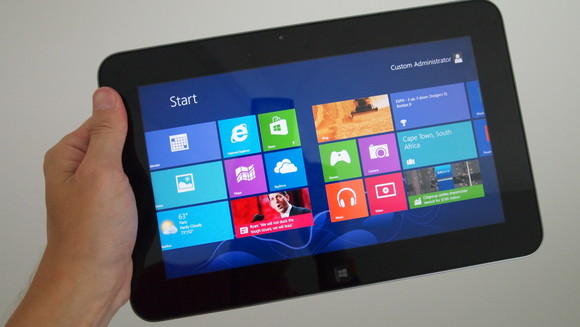
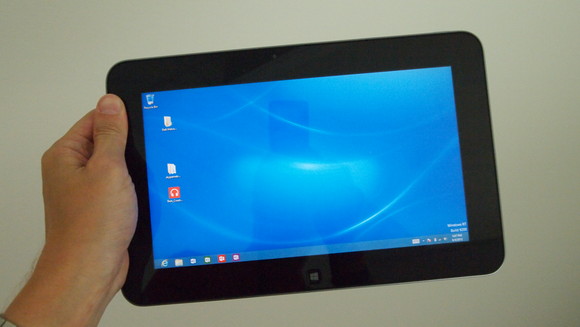
Here is the new phone from Dell the Dell XPS 10. This phone is just released in the market and available to you around next month. Dell XPS 10 is an amazing phone with Microsoft Window RT operating system and this phone has dual core 1.5 GHz processor for its lightning fast speed. Dell XPS 10 is a 10.1 inches phone with 155 ppi pixels density.

XPS 10 is a windows phone with all new features. Dell XPS 10 has 5 megapixel of camera with autofocus, geo tagging and a 2 megapixel of front facing camera for video calling.

 This phone can store upto 64 GB of data with the help of memory card. Dell XPS 10 only weighs around 635g it is very portable.

Features of Dell XPS 10
1- Dell XPS 10 is a windows phone with Microsoft Window RT operating system.
2- Dell XPS 10 has dual core 1.5 GHz processor.
3- It has 5 megapixel of camera with 2592 x 1944 pixels of resolution and a 2 megapixel front facing camera.
4- Dell XPS 10 has 32 GB of internal memory which can be expanded upto 64 GB with the help of memory card.
5- Dell XPS 10 only weighs around 635g.
6- It has 10.1 inches of capacitive touchscreen.
Price of Dell XPS 10
You can buy this phone in just $807

Enjoy Guys! and don’t forget to post your comments. � MyTricksTime.com

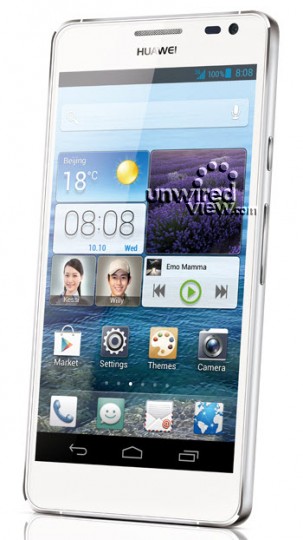
Huawei Ascend D2 Specification and release date

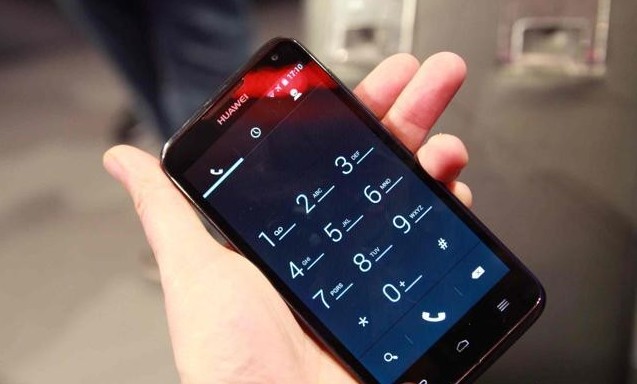
Recently Huawei is announced that they are planning to launch Huawei Ascend D2 in Global market soon.The device Huawei Ascend D2 is already launched by company in china and now its time its Global launch.The rumour is going on that the Smartphone Huawei Ascend D2 will come in early of 2013.The device is coming with Android Operating system and coming with lots of new features.The Smartphone will be available in White and black colour.

Specification of Huawei Ascend D2 Smartphone
  • Huawei Ascend D2 is running on latest Android 4.1 Jelly Bean operating system.
  • The Smartphone Huawei Ascend D2 is coming with 5.0 Inches of capacitive display touch screen with Resolution of 1080 x 1920 pixels.
  • The device Huawei Ascend D2 is powered by 1.5 GHz Quad-core processor
  • Huawei Ascend D2 include 13 MP of rear camera with LED flash.
  • The Smartphone include Blue-tooth 4.0,2G,3G,4G SIM for connectivity.


  • Some other feature of Huawei Ascend D2
    • Google serach,Maps,Gmail
    • It include YouTube,Calendar,Google talk
    • Document viewer/editor.
    • Huawei Ascend D2 support MP3/eAAC/WAV player.
    Huawei Ascend D2 Price
    The price of Huawei Ascend D2 will be Rs.35,000.

Enjoy Guys! and don’t forget to post your comments. � MyTricksTime.com