Top 10 Best iPhone Apps of 2014 Free Download

Top 10 Best iPhone Apps of 2014 Free Download

Apps store is full of games and app, its really very hard to find out which apps are good and which are just junks, In this post we will list out all best apps  of year 2014 and we also update this list every week by which you will never miss out any apps/games.

Read Also:

iTuner Radio

iTuner Radio
You can listen to: bbc radio 4, bbc radio 1, bbc radio 2, capital london, heart london, bbc radio 5 live, kiss, smooth radio, classic fm and many more!
More than 30,000 radios stations and 120 countries available in this application, from news, music and sports or other kinds of radios to choose from.

Spark Camera
Spark Camera
Spark enables you to enhance, record and share your life�s best moments through beautiful HD videos. What ignites a spark in your life? An afternoon with friends at the beach, A gorgeous sunrise, , a kid�s smile….. whatever it may be, the world is full of inspirational moments… capture it with Spark Camera App. 

WhatsApp Messenger

WhatsApp Messenger
WhatsApp is a smartphone messenger available for Android, iPhone and other smartphones. WhatsApp uses your WiFi (when available) or 3G  to message with family and friends. Switch from SMS to WhatsApp to send and receive pictures , messages, video messages and audio notes. First year FREE! then INR60 /year.

Motocross Meltdown

Motocross Meltdown
You can play Motocross Meltdown for free, but you can pay some real money for some extra items, which will charge through your iTunes account. You can inactivate in-app purchasing by adjusting settings of your device settings.

Where’s My Mickey?

Where's My Mickey?
Where’s My Mickey? is a game app based on Famous Mickey Mouse, and a spin-off of Where’s My Water? This game introduces a whole new world of life-like physics-based gameplay with humorous animations and stimulating weather mechanics . 

Clash of Clans

Clash of Clans
 Raise an army of Barbarians, Clash of Clans is an addictive mixture of strategic planning and competitive fast-paced combats. War Wizards, Dragons and other mighty fighters.

WeChat

wechat
WeChat is a social app like Whatsapp that gathers all of your sharing and communication tools in one place  including text messages, video calls and images. 

Viber - Free Phone Calls & Text
Viber is a phone call and text messaging app like wechat and whatsapp that lets you keep in touch with your family and friends for free no matter where they live.

PhotoFunia

PhotoFunia
PhotoFunia gives you numerous options for mixing your photos with diverse backgrounds and settings to create both unique and bizarre images. No matter what type of theme you’re looking for, you’re sure to find it in this innovative app.

Oxford Advanced Learners Dictionary

Oxford Advanced Learners Dictionary
Oxford Advanced Learner’s Dictionary, 8th Edition is a complete resource for anyone looking to improve their vocabulary and understanding of the English language. With its smooth, efficient interface and highly customizable display settings, you’ll quickly find this program to be an indispensable companion.

Enjoy Guys! and don’t forget to post your comments. � MyTricksTime.com

HTC Desire EYE Review


HTC Desire EYE Review

Introduction
A month or so ago, HTC decided that it was high time it put an end to the selfie race and unveiled the HTC Desire EYE, a smartphone that is doomed to intrigue with its ginormous 13MP selfie snapper. However, the front-facing camera is just one of the assets of the Desire EYE, because it also packs pretty respectable hardware under its predominantly-plastic hood. On paper, it seems that HTC’s foray into selfie-centric phones might be a pretty successful one, but is this truly the case? Let’s find out!

In the box:


  • handset
  • charger
  • USB charging cable

 Have A Look

HTC Desire EYE Review

Design

A big, surprisingly pleasant to hold handset that has certain issues

Despite its large dimensions (5.97 x 2.91 x 0.33 inches or 151.7 x 73.8 x 8.5 mm) and weight of 5.43 oz (154g), the large HTC Desire EYE does is not unwieldy and feels good in the hand. On the contrary, the device is pleasantly ergonomic and sits good in the hand.This time around, HTC put its faith into hard, matte plastic as a build material, both for the back and for the sides, which is pretty pleasant to touch and provides a more-than-acceptable amount of grip. It does not smudge easily, but still tends to hold a bit of grease, especially if your hands are sweaty or dirty.

It’s quite possible that the main culprits for the tall silhouette of the device are the two frontal speakers (neatly hidden in gaps between the display’s frames and the top/bottom bezel of the phone) and the large selfie camera up front. These take their toll and make the Desire EYE as tall as a Galaxy Note 4, for example.

Meanwhile, the right edge of the device is home to a set of hardware buttons (power/lock, volume rocker, and a dedicated two-step camera shutter key), the interaction with which is quite unpleasant � they are shallow and it’s extremely hard to discern them from the surrounding plastic. The two-step camera button is particularly unpleasant � it does not provide enough feedback about its position. At the left side of the phone, we can find the slots for the nano SIM and the microSD cards, which fit rather tightly inside the frame. The HTC Desire EYE is IPX7-certified, too, which means that it will live to tell the tale if you dip it in the water � in particular, for as long as 30 minutes at a depth of up to a meter. Enjoy Guys! and don’t forget to post your comments. � MyTricksTime.com

30 million Apple Watches in 2015 might be “conservative”, wearables could hit 1 billion in 2020

30 million Apple Watches in 2015 might be

Recently, the official Wall Street investor estimates came out for the Apple Watch. The predictions said that Apple could sell anywhere from 10 to 30 million wearables in 2015. However, a new investor note from Morgan Stanley analyst Katy Huberty is saying that even the high end of that estimate could be considered “conservative”.

The theory goes like this: by the time the Apple Watch launches next year (Huberty is guessing this will be in March), there will be about 315 million people around the world who own an iPhone 5 or newer. Of course, the iPhone 5 is the minimum hardware requirement for compatibility with the Apple Watch. Then, if we were to assume that just 10% of those users buy an Apple Watch, we’re already over the high-end 30 million unit estimate. 
The thing is that even assuming 10% of users buy an Apple Watch might be a conservative estimate, because the wearable market is growing faster than analysts had expected. Huberty says that the newest estimates are putting the wearable market at anywhere between 530 million and 1 billion units in 2020. And, 14% of iPhone users bought an iPad in the first year it came out. 
It should be noted that the estimates for the Apple Watch sales from the supply chain have been guessing somewhere between 30 and 40 million units, which would be in the range and higher than even what Morgan Stanley is estimating. Obviously, the price point and ultimate list of features will likely play a big part in all of this; but, we might be looking at a bigger year for the Apple Watch than had been previously thought.

Enjoy Guys! and don’t forget to post your comments. � MyTricksTime.com

Retrieve Deleted Facebook Messages,Photos and Videos

Retrieve Deleted Facebook MessagesHey guys apologize for not updating Smarttricks with Fresh Content Regularly in Recent times. But there is a Good News, because i am back with yet another Facebook Trick. Today we will see How to Recover deleted facebook messages,Photos and Videos and much more on facebook.

Basically its a Facebook Feature which not many people are aware of and hence i will be writing this tutorial to let you guys know about this amazing feature/Trick that Facebook Provides.

Many a times We Delete Messages,Photos or Vidoes from our profile which is not intentional but once we do , we can not undo it. and its gone forever.
But wait, There is a saying: Nothing is Lost, until MOM can�t find it, Likewise in this case even if you delete anything from your facebook account, you can get it back. Facebook have all your data in their archive which you can download too.

Read Also:

Retrieve Deleted Facebook Messages,Photos and Videos

Follow the Below simple steps to Know how you can get back and have access to your deleted messages, photos,Videos and all other data of your facebook profile.
Step 1: First of all,You will have to Click here to open Facebook General account Settings.

Step 2: Once you open your general settings, you will see Download a Copy of your Facebook Data, So click on it to.
Step 3: On the Next page you will see a Download Archive Button, Click on it and you will be prompt to enter your Password to Continue, This is a Security Step by Facebook.

Step 4: After entering your Facebook Password, Click on Submit, On the next screen you will be shown that the download link for your data will be sent to your email id which you used to create your facebook account.

Step 5: Wait for Few Minutes, check your mail. You will see a mail from facebook in your Inbox with Downloading link ready for you to download all your data.

Retrieve Deleted Messages,photos and videos on facebook

Step 6: Now After downloading the file. Unzip it and open the folder where you will find your messages, photos, vidoes. Pokes, Friend list etc.

Read Also:

The Files will be in .html format so you will have to double click on the file and select your Favourite Browser to open the file, the File will open up in your browser where you will have access to all your data..
I Hope this guide will help someone or other who didn�t already know that you can actually Retrieve Deleted Facebook Messages,Photos and Videos. Don�t forget to Share it with your friends if you like it and you may even Subscribe for New post, to get directly in your mail inbox.
Enjoy Guys! and don’t forget to post your comments. � MyTricksTime.com

10 stylish email subscription widget for Blogger

Email subscription widgets help you to get more subscribers to your blog. These widgets not only increase your traffic but also helps you to grow a loyal community. You can use these emails any time to make your reader updated about your services or posts.

Even some online gurus consider email as the best marketing strategy. And even stats shows that email are used more than any social media sites and clicks generated through emails are much more than through social media sites like Facebook or twitter.

Email Subscription Widget For Blog spot Blogs

Many social media and email subscription widgets are available for blogger on internet and even blogger itself host some widgets. In this post, I have gathered all amazing and stylish social media and email subscription widgets for blogger blogs. Most of these widgets are made by MBT.

1. Mashable social media and email subscription widget for blogger

Mbt first released Mashable sharing widget V1 and after modifying it they converted it into version 2 which you can see in the image below and check it here.

Social media with email subscription widget for blogger

This widget contains almost all important social media subscription buttons like Facebook, twitter and Google plus following button and also contain email subscription and RSS subscription icons. This is all in one email with social media widget treat.

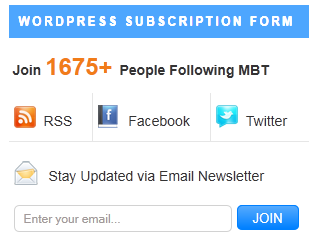
2. Word press like social media with email subscription widget for blogger  

Social media with email subscription widget for blogger

This widget is modified for BlogSpot blog from word press subscription widget. This beautiful widget contain social media icons and a simple email subscription form. It also shows total number of feed subscribers.

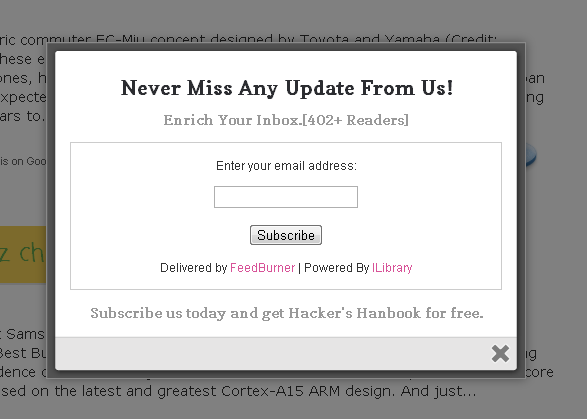
3. Popup subscription box for blogger 

Social media with email subscription widget for blogger

This is an Aweber style pop up email sign up forms. Whenever some visitor visit your blog this subscription widget will pop up on the screen and asks for email subscription. This is very helpful plugin for blogger blog as it will help you to get maximum results with minimum effort.
Here is a quick demo

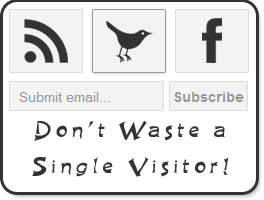
4. Simple widget with RSS and social icons

Social media with email subscription widget for blogger

If you want a simple, clean design subscription widget then this is the best choice for you as it contains only three buttons i.e. RSS, twitter and Facebook icon and a simple email form.
Click here to see it live

5. Simple email subscription form for BlogSpot blogs

Social media with email subscription widget for blogger

This is a simple widget which can be added in the side bar or footer of any blog. This will keep your design simple and clean. Its coding is simple and it is easy to edit.
Live demo

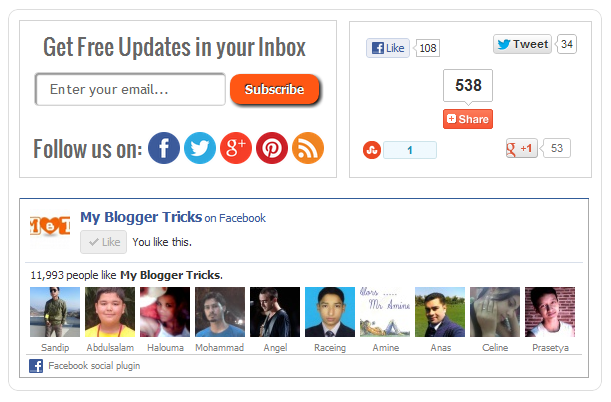
6. No ordinary social media with email subscription widget

Social media with email subscription widget for blogger

This awesome widget (Live demo) is really not ordinary. This widget is made with the aim to increase traffic, social media subscription and email subscription. It includes a smart email form with social media icon, Share box and Facebook like box. This widget can be used just after the header or it can be added below post area to make your blog more professional.

7. Attractive email subscription widget below post

Social media with email subscription widget for blogger

This subscription widget is made with the aim of increasing email subscribers. Whenever a visitor reads a complete article, he/she will come across this awesome subscription box.
Check it here

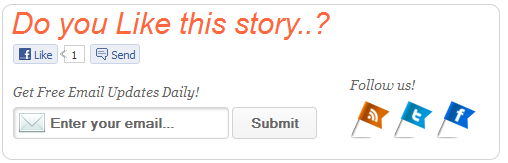
8. “Do you like this story” Subscription widget for blogger

Social media with email subscription widget for blogger

This widget contains email subscription box, Facebook like and send button to share and like your blog post and social media icons. This widget can be used below post to get more shares from the visitors.
Live demo

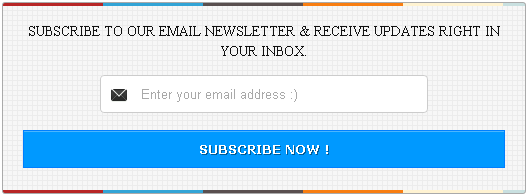
9. Attractive email subscription box below post

Social media with email subscription widget for blogger

This is a fast loading subscription form with awesome look.

10. Word press style subscription widget for Blogger

Social media with email subscription widget for blogger

Simple yet an effective subscription box which can be added below post or in the start of post.

These are some awesome email and social media subscription widgets for Blog Spot blogs. These widgets can be used in the side bar, above or below the post or in the footer.

Comment below if you find some problem and don’t forget to share this awesome collection with your friends.

Enjoy Guys! and don’t forget to post your comments. � MyTricksTime.com