How to Download any unrecoverable or unresumable file with IDM


Hi! Guys we are now again back with an interesting and very useful trick for you. Friends, you are sometimes
 worried of your downloading files that due to any slow internet connection or any problem in the server, your some files or the path of your files are lost and you are unable to resume your download process. But now friends, not to worry about that.


Whenever you are in such condition, follow the following steps to resume your file.

  •     Open your IDM and go to the file which you want to download.
  •     Resume that file and wait for a moment.
  •     It will now give such type of dialogue box of error.
  •     Press �OK�.
  •     One dialogue will appear in which �Stop Waiting� is appeared and one new tab will automatically appear in your default browser or if not so follow the next step.
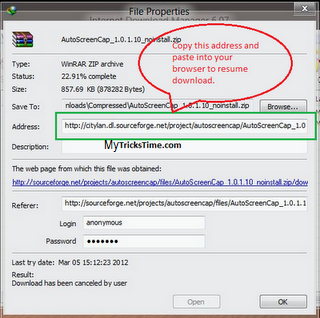
  •     Go to the properties of the file which you want to download, copy the downloading path of that file and paste into your browser.{If the previous step was correctly done then skip this step.}


  •     Now, download the file which you have downloaded earlier.
  •     IDM will capture the link and your download will start from the paused position.

If you have any problem,then please leave your comments below.

Enjoy Guys! � MyTricksTime.com

How to use mobile camera as PC webcam

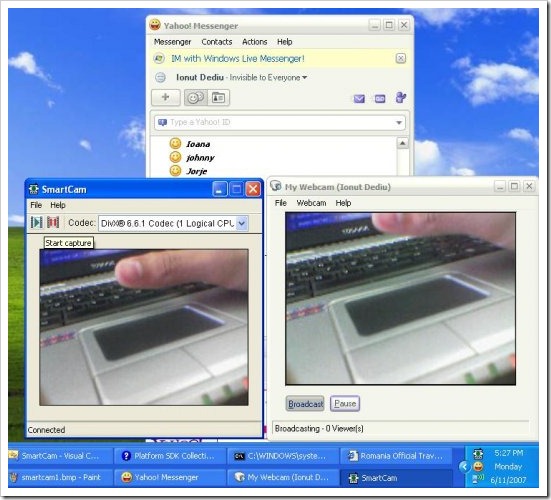
Smartcam is a small utility which can help you in using your mobile camera as a webcam and it is really handy to use so simply downloading it and installing it will help you in using it. You do not need to have any kind of technical knowledge so just check out the below steps and enjoy this amazing small software.

Follow below steps :

1. First you need to have Smartcam package in your PC and on your Mobile Phone installed, you can download this full Smartcam Package which contains PC software and all mobile versions app.
2. Now you have downloaded the above package you need to extract it and than install it on your PC and your Mobile Phone.
3. Now simply fire it up on your PC and on your Mobile Phone, now connect your phone to your PC with USB or Bluetooth which ever is available.

Now enjoy using your mobile as your pc webcam, it simply works fine as reported by many readers, but still you find any problems than please make sure to comment below so that it can be solved.Enjoy Guys! and don’t forget to post your comments. � MyTricksTime.com

Brand New BSNL T-Pad Tablet Revealed Book it now

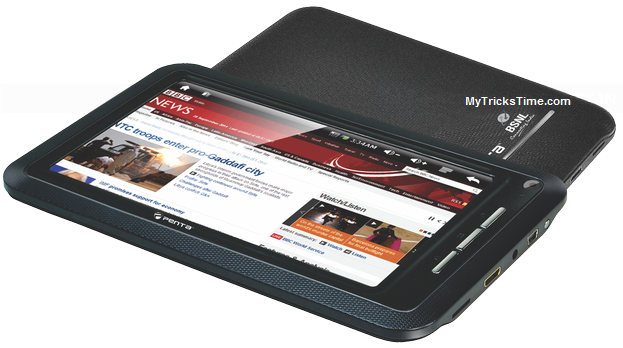
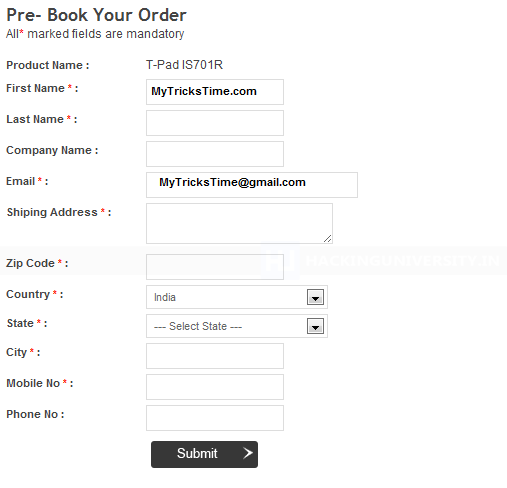
BSNL has revealed there three new tablets in competition too Aakash Tablet and these are already on Pre-Order so if you wanna grab all the knowledge about its specs and other models and want to book it now than you can visit their website, now when you will be on their website you have to click on PRE – BOOK NOW which will open form like below fill that up and you have successfully booked your upcoming BSNL Penta Tablet.

So now enjoy booking your very own BSNL Tablet if you face any problems than do comment so that we can solve that out. MyTricksTime.com

Timeline For Fan Pages – What’s New And What’s Gone!

As all you are now aware of the new Facebook Timeline as it is been announced officially for all facebook profiles. Just before few days, timeline was also updated on Groups and now the timeline is going to be officially enabled to all Facebook Fan Pages on 30th March, 2012.


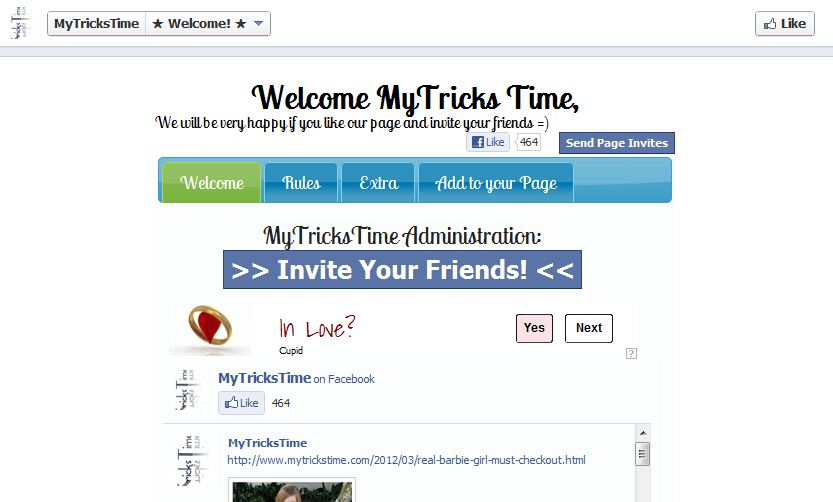
If you want to enable the timeline for your fan page before 30 March, than simply go to your Fan Page and you will see written above ” PREVIEW “. Preview your fan page in timeline and if you want to enable it than simply click ” PUBLISH NOW ” and your fan page will be automatically converted into new Timeline.

Note: This action is not reversible. 

Now the main topic. This timeline has brought a strong Admin Panel with some new features. But also some old features are gone. So here we will discuss about the new features and the feature which is gone.

1- Custom Landing Pages Gone :


This is what on which most of you have worked hard. I know many people have worked really hard in making their landing pages beautiful but the bad news is that this option is GONE. Now your page will be land on default Wall tab. But you can make your wall beautiful with a beautiful timeline cover photo.


2- Direct Messages :


This feature is a good one. Now your fans can directly message you through your page and you can reply them through your page. No need to use your personal account. In this way you can hide your identity. No one can know who is the admin of the page. This will help those people who do not know much about using internet. Many times fan pages are hacked. When someone comes to know that who is the admin of the page, they simply hack that account and make themselves the admin and hence your page is gone. 

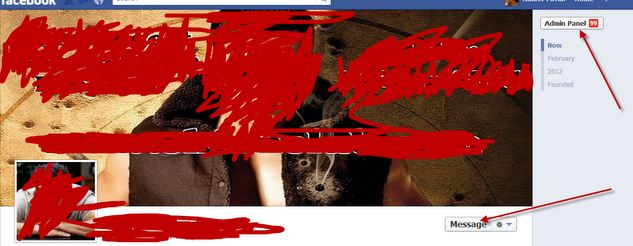
These messages can be read and answered through your Admin Panel as shown in image : 


You can see the MESSAGE tab. This is from where your fans can message you and if you want to read and answer those messages, than click the Admin Panel at top. 

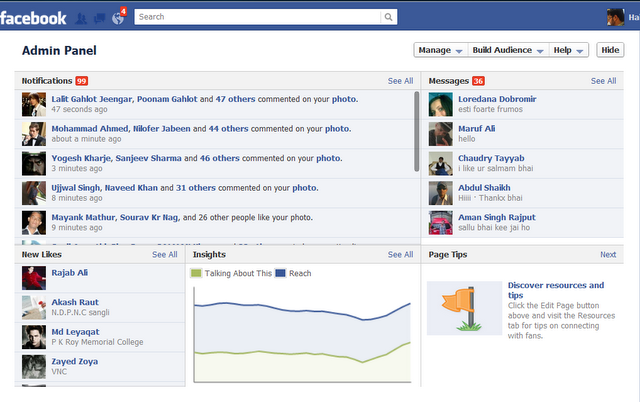
Here is the new Admin Panel and it is a powerful panel. You can also see the new likes of your page. And at the left side, you can see the messages. Read them and answer to your fans directly. 

If you want to disable this Messages tab than simply go to EDIT PAGE and uncheck Messages option.


3- Unban Users :

This is another good feature. Before this timeline, if you have banned any user, there was no option to unabn him/her but now you have this option to unban the banned users. To unban any user, go to your Admin Panel and click on Manage. A list will open and you can unban the banned users.
Enjoy Guys! and don’t forget to post your comments. � MyTricksTime.com

The Review of Nokia 600

with full specification and feature details

Hi Guys! After giving you the�review of Nokia 500, we thought to give you the review of Nokia 600. This is the newer version of�Nokia500. Without taking your much time I would like to tell you about this�gadget. So go ahead and get the information related to Nokia 600.

Read more