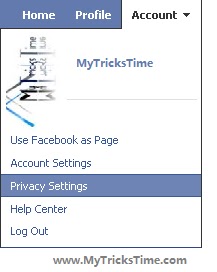
Many of you may not like to show your Facebook friend list to others. But hiding friends list on Facebook is not a easy one touch option. So I will explain how to hide your friend list from your Facebook account so that others cannot see whom you are friend with.
Are you using java phone before using android? maybe you have a lot of collection of java game made by you. For java application or J2ME not supported in android. Many local phone have java emulator, but not all application can used with clearly. If you want to play your java game in your android you must convert it into apk for android.
for convert jad/jar to apk android you can use this site http://netmite.com/android/upload your apps and will automatic converted to apk android. But be careful, you must upload only java game made by you, so as not to infringe copyright.
okay now you can play your java game on android after you convert it before to apk android in http://netmite.com/android/. This is little share from me titled “install yourjava game on android“, i have inspired about it from mobile multimedia android magazine from kompas gramedia. I hope this simple post can help you. Enjoy Guys! and don’t forget to post your comments. � MyTricksTime.com
Step1. For this you have to download USB Hidden Copier.
Step2. Download it and run Copy Pen Drive Data Automatically in PC.exe and it will open its control panel.
Step3. Click “Install” button. Now It will always start at computer start-up, or you can start it by Clicking “Start” button in it’s control panel.
Note:
It will copy a maximum of 8GB that is enough space and information will not fit all hard drive space if you can not monitor it for a long time.
Content is saved in a folder named as the copied USB Drive name so you can find easily who is the owner of USB copied.
It starts at start-up of computer.
With it’s Control Panel you can easily manage it.
Content copied is saved by default in: “C:WINDOWSsysbackup”
In order not to copy you own USB Drive you can create a file named “friendflag.winxp” and put it directly on your usb (this file can be also with hidden and system attributes so you will not delete it accidentally). So when the program finds this file it will not copy the drive when it is located (your usb).
To close program (Exit) you can press Alt+E
.Enjoy Guys! and don’t forget to post your comments. � MyTricksTime.com
Application Title: Opera Mini Free Nokia 5233 Application
Application Description: The perfect flash browser for your nokia 5220! This application is a flash internet browser for your mobile which makes mobile browsing fun and easy! Format: .sis Category: Applicationss File Size: UnKnown