Keyboard Dancing Led Light Trick


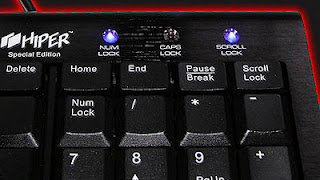
          Today i will be showing you an interesting trick which will let your keyboard led light to dance. Basicly we will be creating a vbscript to make caps lock, num lock and scroll lock to perform this trick. So lets get started.

     How to do that ?


       1. Open Notepad and copy below codes into it.

Set wshShell =wscript.CreateObject(“WScript.Shell”)
do
wscript.sleep 100
wshshell.sendkeys “{CAPSLOCK}”
wshshell.sendkeys “{NUMLOCK}”
wshshell.sendkeys “{SCROLLLOCK}”
loop

       
       2. Then save this file as led.vbs (.vbs is must)
       3. Open your save file and see your keyboard led blinking like disco lights.

     How to disable blinking led ?


       1. First open Task Manager [ctrl+alt+del ]
       2. Then Go to process tab.
       3. Select wscript.exe 
       4. Click on End process.

Enjoy Guys! and don’t forget to post your comments. � MyTricksTime.com

Remove Powered by Blogger From Blogger � How to Blog


Hy friends,Hope You All Fine and Doing Well . Today I wanna Show You How To Remove �Powered By Blogger�from Blogger
It is Blogger Written Text in The Blogger Template.It makes the Template Dull and Boring.So Today We will Learn that �
How To remove �Powered By Blogger� From Blogger.It is very Easy To Remove Because it Just Take 4 Main Steps,So Lets DO it xD!
In order to remove you will need to edit the Blogger Template and Delete the Attribution Widget.

Note:- Must backup Your Template Before Making Changes in it xD!
This helps to revert back to the Original Template when something goes wrong while Editing your Template.
[button style=”tick”]How To Remove Powered by Blogger From Blogger[/button]
1) Go To Blogger.com
2) Then Blogger Dashboard.
3) After That Click On Template.
4) Then Click On Edit HTML
5) Proceed that.
6) Check The Box �Expand Widget Templates�.
7) After That Search For This Code /* content ( by Pressing CTRL+F a Box will Pop-up after that search for the mentioned Code/Tag).
8) Now Copy The Below Script/Code and Paste it before  /* Content Tag
#Attribution1 {display:none;}
9) Now Hit Save Template . And You Are Done xD !
10) If You Got Any Problem Then Drop Comments Below I am Always here to Answer You xD !
Happy Blogging, Peace and Love xD !

Enjoy Guys! and don’t forget to post your comments. � MyTricksTime.com

Simplest JavaScript to Open Popup Window from Plain Text

You can use JavaScript to create popup windows. Popup Windows are different to simply opening a new browser window.

However you can do the same (creating pop windows) using buttons. I�ve already described that here.

Here is the simplest JavaScript for generating a pop up window:

// Popup window code
function newPopup(url) {
popupWindow = window.open(
url,'popUpWindow','height=500,width=500,left=10,top=10,resizable=yes,scrollbars=yes,toolbar=yes,menubar=no,
location=no,directories=no,status=yes')
}

<a href="JavaScript:newPopup('http://www.google.com');">Open a popup window

This will result in:

// Popup window code
function newPopup(url) {
popupWindow = window.open( url,'popUpWindow','height=300,width=500,left=10,top=10,resizable=yes,scrollbars=yes,toolbar=yes,menubar=no,location=no,directories=no,status=yes')
}

Where:
– Red are width and height of the popup window.
– Purple are the optional attributes (change to �no� to turn off those attributes).
– Blue is the actual link to be opened in the popup.
– Black (bold) is the text which is visible to user.

Automatically center your popup

Similarly if you want to automatically position your window in the center of the users� screen use the following code. The JavaScript code will detect the screen size (as each user could have a different screen size), then position the popup window in the center.

var popupWindow = null;
function centeredPopup(url,winName,w,h,scroll){
LeftPosition = (screen.width) ? (screen.width-w)/2 : 0;
TopPosition = (screen.height) ? (screen.height-h)/2 : 0;
settings =
'height=' h ',width=' w ',top=' TopPosition ',left=' LeftPosition ',scrollbars=' scroll ',resizable'
popupWindow = window.open(url,winName,settings)
}

<a href="http://www.google.com" onclick="centeredPopup(this.href,'myWindow','500','300','yes');return false">Centered Popup

This result in:

var popupWindow = null;
function centeredPopup(url,winName,w,h,scroll){
LeftPosition = (screen.width) ? (screen.width-w)/2 : 0;
TopPosition = (screen.height) ? (screen.height-h)/2 : 0;
settings =
'height='+h+',width='+w+',top='+TopPosition+',left='+LeftPosition+',scrollbars='+scroll+',resizable'
popupWindow = window.open(url,winName,settings)
}

Centered Popup

Where:
– Red are width and height of the popup window respectively.
– Purple is the attribute for the scrollbars in the popup. (Change to �no� to disable scrollbars)
– Blue is the actual link to be opened in the popup.
– Black (bold) is the text which is visible to user.

Enjoy Guys! and don’t forget to post your comments. � MyTricksTime.com

50+ Best Websites to Download Countless Free Stock Images

free stock images

No matter who you are, a student making a big project, a white-collar constructing a series of presentation, or an advertiser designing a handbill, you will always need a lot of images to complete your tasks, especially when you are not a good photographer. However, very few of us can afford those expensive paid photos. That is why we urgently need free images.
Here is a list with over 50 websites offering copyright-free images, royalty Free Stock photos and Public domain pictures.
All of them are entirely free, no copyright, no royalty, simply with few restrictions. Enjoy!

Sites sorted by the amount of free images

1,000,000+

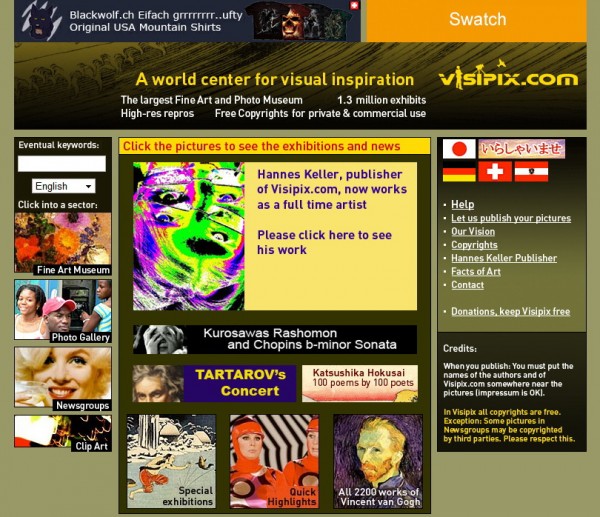
01. Visipix: one of the largest fine art and photo museum offering 1,300,000+ free images for personal and commercial uses. However, you must credit the authors near the pictures where it is used.
free stock images

300,000+

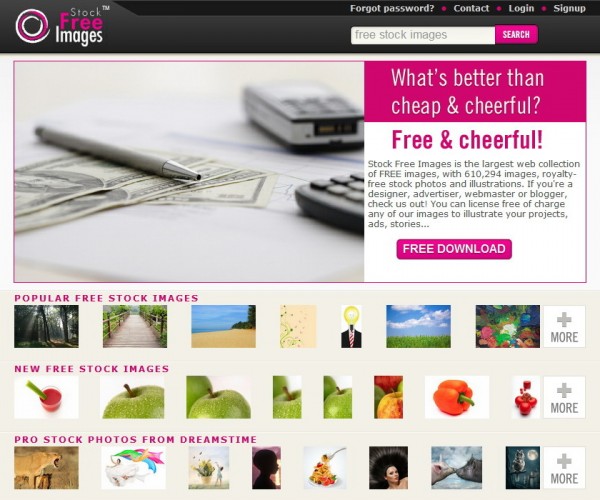
02. Stock Free Images: being supported by 22,713+ photographers, it offers 610,294+ free images for personal and commercial uses. Registration is required.
free stock images
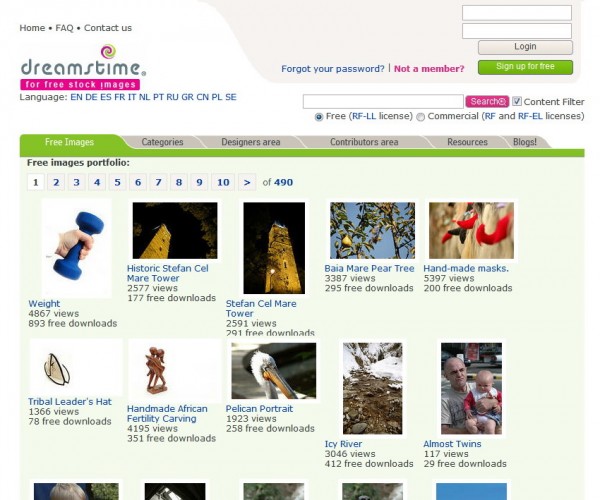
03. Dreamstime(Free): as one of the most famous stock image seller, Dreamstime also provides 600,000+ free images for personal and commercial uses. Furthermore, it is available in 12 languages. Registration isrequired.
free stock images
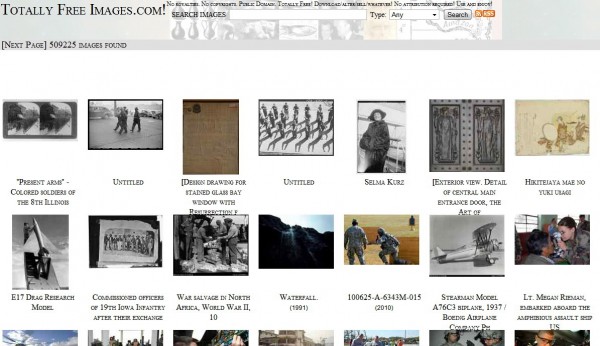
04. Totally Free Images!: 509,225+ free images for any purpose, you can even sell them without attribution.
free stock images
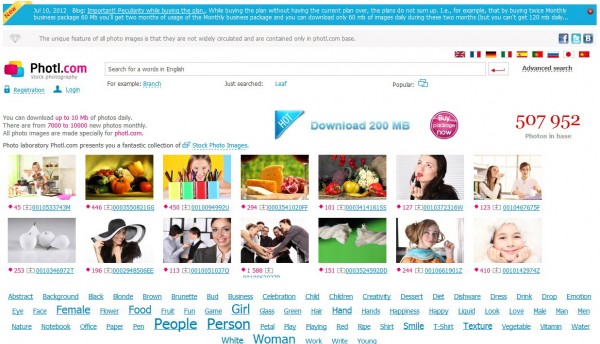
05. Photl.com: a site in 10 languages offering 507,952+ photographs. All of them can be downloaded freely in definition 849x565px, 1920x1280px (no more than 10 MB per day) for personal, non-commercial uses. Registration is required.
free stock images
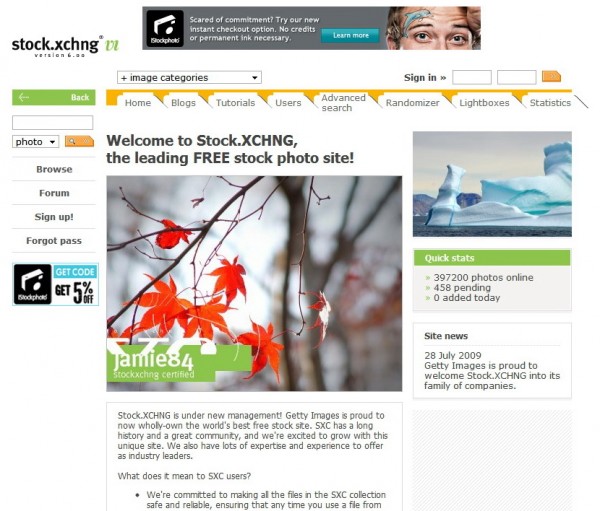
06. Stock.XCHNG: being a family member of Getty Images, it possesses 397,200+ images for personal and commercial uses without registration. Some image owners may ask you to notify and/or credit them.
free stock images

100,000+

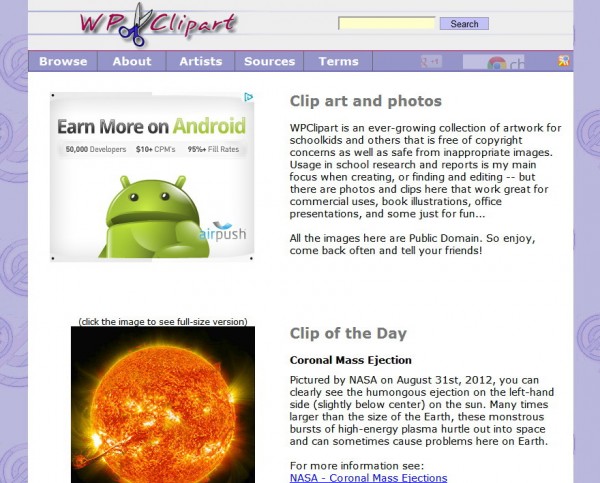
07. WPClipart: 139,821+ images for personal and commercial uses. Linking back is nice but is not required.
free stock images
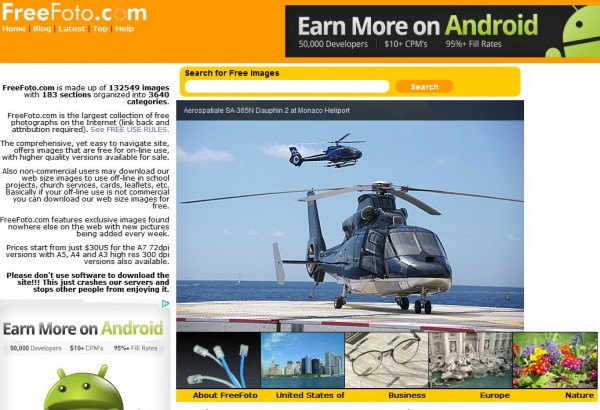
08. FreeFoto.com: 132,549+ free images for online personal, commercial uses. Offline commercial usersmust purchase a license. Both link back and attribution are required.
free stock images
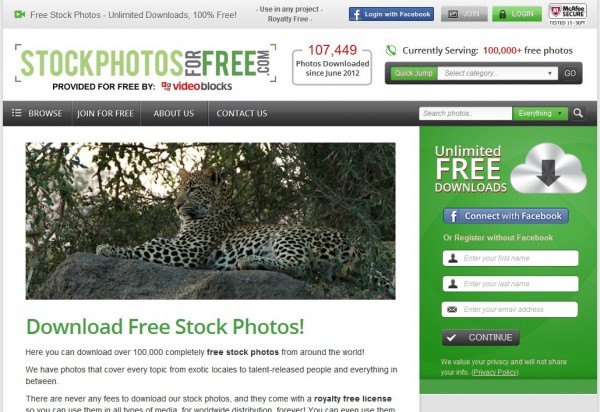
09. Stock Photos For Free: 100,000+ free images for personal and commercial uses. Registration isrequired.
free stock images

10,000+

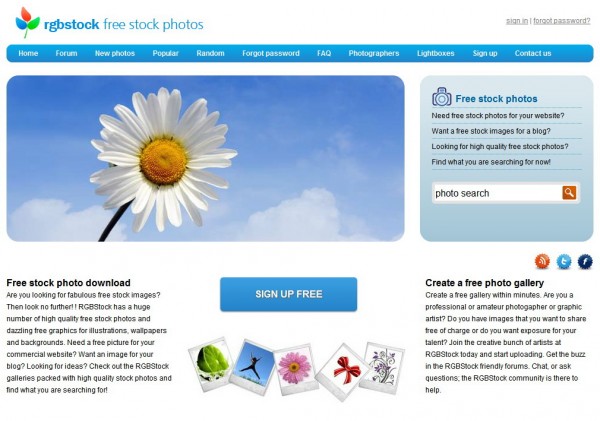
10. RGBStock: 73,351+ free images for personal and commercial uses.
free stock images
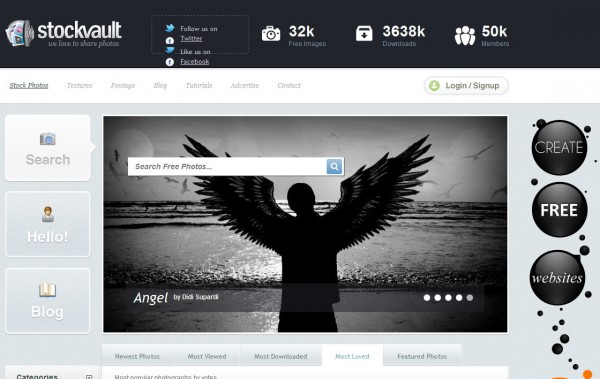
11. Stockvault: 32,000+ images for personal, non-commercial uses.
free stock images

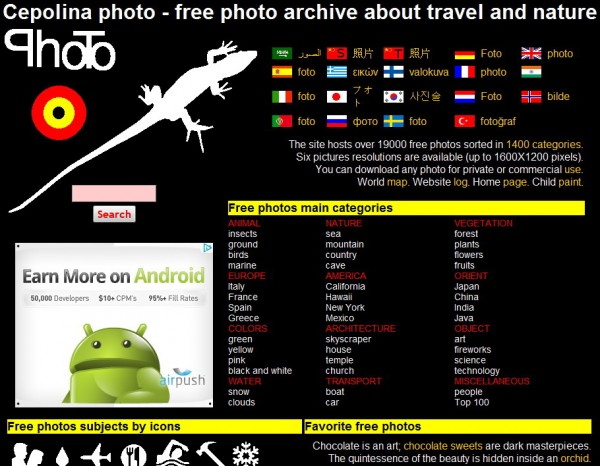
12. Cepolina Photo: 19,000+ free images in 1400 categories (mostly about travel and nature) for personal and commercial uses.
free stock images
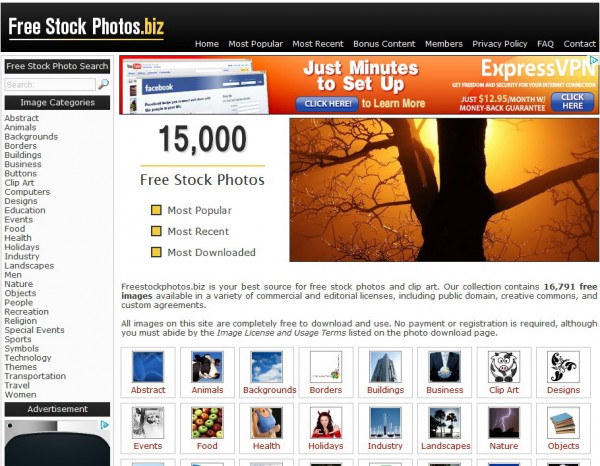
13. Free Stock Photos.biz: 16,791+ free images for personal and commercial uses.
free stock images
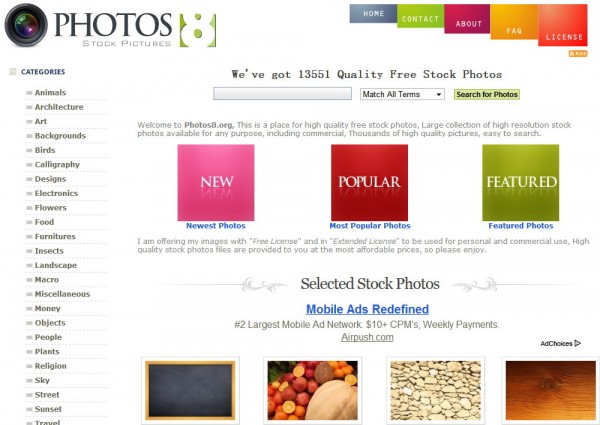
14. PHOTOS8: a private site developed by Sam Mugraby offering 13,551+ free images for any purpose.
free stock images

5,000+

15. Copyright Free Images: 9,378+ free images in 24 categories for personal and commercial uses.
16. Multimedia-Stock: 7,932+ images and 580+ Vectors for personal and commercial uses. Registration isrequired.
17. FreePhotoBank: 7,489+ free images for personal and commercial uses. If you use any image fromFreePhotoBank on a website, you must link it back. In other uses, you will also have to specify the source of the image.
18. NationsIllustrated: 7,306+ free images (mostly related to global sceneries) for personal, non-commercial uses.
19. Free Images: 6,000+ free images for personal and commercial uses. Link back or credit is required.

1,000+

20. Free Pixels: 4,978+ free images in 40 categories for personal and commercial uses.
21. Creativity103: 2200+ free images (especially design elements/textures) for personal and commercial uses but you must link back to this site on webpages or credit it on printed works.
22. FreePhotos.se: a small photo sharing site with 1,276+ free photos for personal and commercial uses.
23. Free Images Collection: a private site developed by Santhosh Kumar offering 1,201+ free images for personal and commercial uses.
24. A Digital Dreamer � Free Stock Photography: 1,000+ free images for personal and commercial uses.

100+

25. Free Photo Galeries: 643+ images for personal and commercial uses.
26. Free Stock Image Site: a small site offering 214+ free images for personal and commercial uses.

Other sites sorted by A-Z:

A

01. Alegri Photos: free images for personal and commercial uses.
02. Angels Landing Free Stock Photos: free images for personal uses only.
03. Ars Publik: free images (especially the high quality medical ones) for personal and commercial uses.

B

04. BestPhotos.US: free images for any purpose.
05. BurningWell: free images donated by photographers all over the world, for personal and commercial uses.

C

06. Copyright Free Photos.com: free images for personal and commercial uses. Images on this site cannotbe added to other photo libraries without written permission.

D

07. DesignPacks.com: free images for personal and commercial uses.

E

08. Easy Stock Photos: thousands of free images for any purpose.

F

09. Freerange Stock: free images for personal and commercial uses. Registration is required.
10. Free Artistic Photos: free images for personal uses only. For other uses on non-Internet media, youmust contact the site first.
11. FreeMediaGOO: free images for personal and commercial uses.
12. Free Photos: free images for personal and commercial uses.
13. Free Digital Photos: images of small sizes are free for personal, educational, non-commercial uses. Linking back is mandatory.

G

14. Grunge Textures: quality background textures, only images with small size (900�600) are free for personal and commercial uses.

L

15. LogoDesignWeb � Stock Photo: free images for personal and commercial uses. The site must be credited. But credit is not required when photos are used as a design element.

M

16. morgueFile: free images for personal and commercial uses. You can even adapt them.
17. myFreeDigitalPhotos: free images for any purpose. Linking back is required.

O

18. Open Clipart Library: free clip arts for personal and commercial uses.
19. Open Galleries: a small community offering free images taken from many parts of the world, for personal and commercial uses. Link back is always welcome but is not required.

P

20. PD Photo: free images for personal and commercial uses. Linking back or giving credit is nice but is not required.
21. Photogen: free images for commercial and personal uses.
22. Photos Public Domain: free images for any purpose.
23. Picdrome: free images for personal and commercial uses.
24. Pixabay: A site in 20 languages with high quality photos for personal and commercial uses. Attributing the original author or source is not required but a link back to the site is always welcomed.
25. Public Domain Depot: a small free image site, usage agreement is unknown.

R

26. Reusable Art: free images rescued from old print materials for any purpose.

T

27. Turbo Photoonly images in web Size (Small/Medium) can be downloaded freely for personal and commercial uses. Registration is required.

U

28. Unprofound: free images for commercial and personal uses.

Other

29. 4 Free Photos: free images for personal and commercial uses.

Free photo search engines

If you think that finding ideal images among the above sites is still an arduous task, then you can try these two search engines. They will never disappoint you! :)
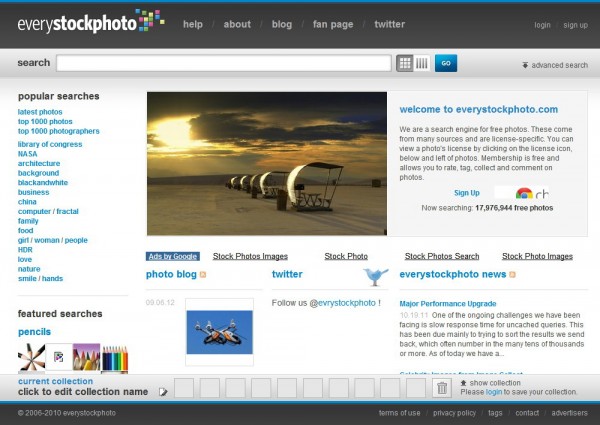
01. EveryStockPhoto: through EveryStockPhoto search engine, you can find what you need among 17,976,944+ free images. Really crazy quantities, eh?
free stock images
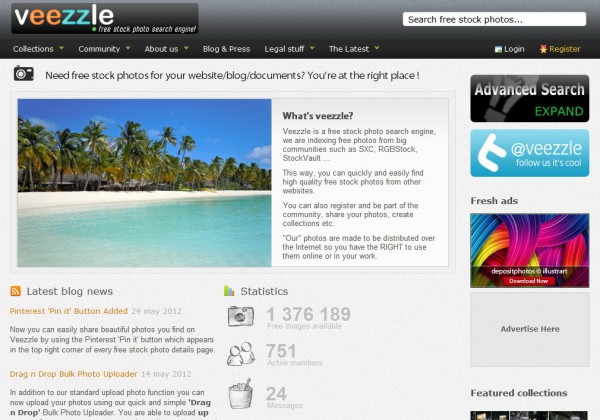
02. Veezzle: another wonderful search engine. On Veezzle, you can pick up your necessity among 1,376,189+ free images. The total amount of all images reaches a size of 2,863 TB!
free stock images
*Search engines do NOT own the free images they show you. If you decide to use any image in the search results, please follow the rules of the image owners.

Very important notices

  • The plus sign (+) means �more�, since the actual amount of images of every site may change at any time.
  • Images �for any use/purpose� means that you can use them in any way without written permission, fee or obligation.
  • Unless marked, all the sites will never allow you to resell and/or redistribute their images. Meanwhile, their images are always free for educational use.
  • You MUST read the Image License Agreement and Usage Terms/Terms of Use of the site before using any image from them.
  • Most of the sites require you to be at least 18 years old to read the terms and to use their images. Otherwise, your parents or guardians must read them first.
  • To respect others� efforts, I recommend everyone to credit the photographer and link back to the owner site of the image you used, if you can (this can also remind yourself to visit the site again later). Donation is always best, but is not required.
Please do not forget to inform us, if you find any of the above sites does not work, or if you know any other website offering free images and we may perfect this list.

Enjoy Guys! and don’t forget to post your comments. � MyTricksTime.com

Insert a Download Button in Blog Posts to Open Links in Popup Window

A download button is used whenever we want to hide a link from the users. It can be a link to any website or link to any file that you want to hide. It also makes a Download link prominent so a reader doesn�t have to find the actual download link in a lengthy blog posts.

It�s a simple HTML �type� tag that creates this clickable button to open the embedded link in a pop up window.
So if you want to put a button in your blog or in your blog posts all you need to do is to insert the code below wherever you want to show a button.

<input value="TEXT on the button" onclick="window.open('http://URL-ADDRESS-HERE','ANY-UNIQUE-NAME',' width=750,height=550menubartoolbarscrollbars')" type="button">

Customizations:
– Change the text in red to the text you want to show on the button.
– Blue is the URL address you want to open after the click of the button.
– Green is any unique id you can give to that button. (giving this id is important, otherwise link will open in a new browser windows instead in a pop-up window.)
– Yellow are the width and height of the popup window that opens after button�s click.
– In pink colors are the optional attributes you can give to the popup window.
Removing the menubar, toolbar or scrollrs will remove these bars from the popup window.

Examples:
Opens Google.com in pop-up with no (optional) attributes.
Opens Google.com in pop-up with only �menubar� attribute included.
Opens Google.com in pop-up with only �toolbar� attribute included.
Opens Google.com in pop-up with only �scrollbars� attribute included.
Opens Google.com in pop-up with all attributes included.


Enjoy Guys! and don’t forget to post your comments. � MyTricksTime.com